


Essential Guide To The Ford OTA Updates: Keep Your Tech Current
In today’s fast-paced world, staying connected and updating your vehicle’s technology is more important than ever. Ford software updates provide a convenient and efficient way to ensure that your vehicle is always running at its best. These updates introduce new features, improve existing functions, and enhance overall performance, all without the need to visit a dealership. Whether it’s upgrading driver-assist systems or adding new connectivity features, these updates ensure your Ford remains on the cutting edge and ready for whatever lies ahead. In this guide, we’ll walk you through everything you need to know about Ford’s OTA software updates, from managing and troubleshooting to the many benefits they bring to your driving experience. Stay tuned for more information and visit Crossroads Ford of Lumberton to browse our latest models that feature the Ford software update!

Understanding Ford OTA Updates
Ford’s Over-the-Air update capability is a revolutionary technology that enables wireless software updates for your vehicle. This innovative feature allows Ford to remotely update your vehicle’s software, ensuring you have the latest features, security patches, and performance enhancements. With OTA updates, you can enjoy a seamless driving experience, knowing your vehicle is always up to date and running at its best.
The technology behind Ford’s OTA updates is based on a cloud-connected and vehicle software platform. This platform enables Ford to wirelessly push software updates to your vehicle using cellular or Wi-Fi connections. The update process is designed to be quick and easy, with most updates taking less than two minutes to install.
Ford’s OTA update capability is an automotive industry first. It allows for bumper-to-bumper updates for nearly all vehicle computer modules, including conventional gas vehicles. This means that your vehicle’s software can be updated remotely without the need for a physical visit to a dealership or service center.
By keeping your vehicle’s software current, you can enjoy a range of benefits, including improved performance, enhanced safety features, and new convenience features. Ford expects to deliver regular software updates, ensuring your vehicle stays up to date and continues to meet your evolving needs.
Gain a comprehensive understanding of what Ford OTA updates entail, how they function, and the technology behind them.

Benefits of Software Updates
Keeping your Ford up to date ensures you always have access to the newest enhancements and improvements tailored to your vehicle. These updates help maintain optimal performance, allowing your technology to function smoothly and efficiently. The installation process is seamless, often running in the background with minimal effort required. Additionally, software updates unlock expanded capabilities, including advanced connectivity features such as Apple CarPlay® and Android Auto™ integration with SYNC® 4, enhancing your overall driving experience.
Managing Software Updates
To keep your Ford vehicle’s software up to date, start by connecting it to a reliable and frequently used private Wi-Fi network. You can check for available updates by accessing the Update Details screen within your vehicle or using the FordPass® App and your Ford Account dashboard. Stay informed about new updates through notifications from your vehicle, the FordPass App, and your Ford Account. Make sure automatic updates are enabled on your SYNC® screen for a seamless experience. For updates that require the vehicle to be parked, such as overnight or during work hours, schedule them at a convenient time to avoid disruptions.
Benefits and Troubleshooting
If you encounter any issues with a software update, start by checking the FordPass App or your Ford Account dashboard for troubleshooting guidance and to view the update’s status. For further assistance with connectivity problems or scheduling difficulties, reach out to Ford Support. You can also monitor the progress of your update in real-time by accessing the Update Details screen within your vehicle.
Inside the OTA Software Update Process
When a Ford software update becomes available, you’ll receive a notification alerting you to the new update. If needed, you have the option to schedule the installation for a later time. For updates that require the vehicle to be turned off, you can set a convenient time, such as overnight or during a period when the car isn’t in use. Updates are installed wirelessly through the vehicle’s modem using a cellular connection or an external Wi-Fi network. Most non-drivable updates take about 45 minutes to complete, though some may require more time. You can check the FordPass App for estimated update durations.
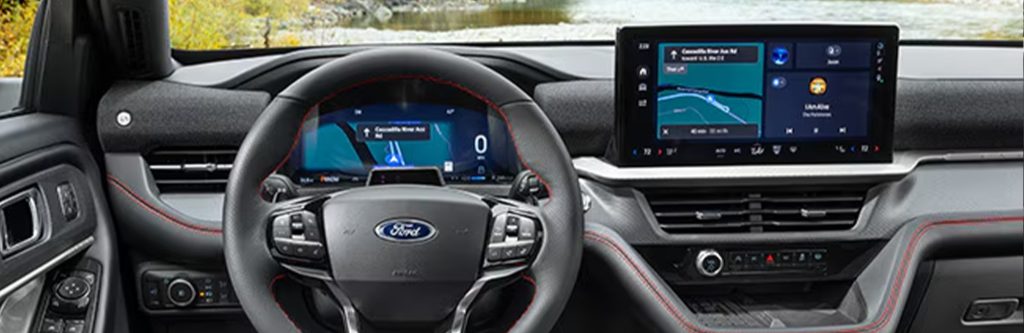
Ford Maverick Software Updates
The Ford Maverick continuously evolves with software updates that refine performance, enhance safety, and improve entertainment features. With over-the-air technology, drivers can enjoy the latest advancements, from upgraded driver-assist systems to seamless smartphone connectivity.
Ford Bronco Software Updates
Built for adventure, the Ford Bronco stays ahead with software updates that optimize performance, safety, and entertainment capabilities. These enhancements are delivered effortlessly thanks to OTA Ford software updates, keeping the Ford Bronco smarter, safer, and ready to conquer any terrain.
Ford Edge Software Updates
The Ford Edge remains on the cutting edge with software updates that boost performance, safety, and connectivity. Over-the-air updates allow owners to access the latest innovations effortlessly, ensuring a refined and seamless driving experience.
Ready for Seamless Updates On the Go?
Software updates are an essential part of keeping your vehicle’s technology at its best. These updates enhance your Ford’s performance, introduce new features, and improve overall functionality. The numerous benefits of Ford software updates include upgraded features, better performance, and expanded capabilities that enhance your driving experience. If you encounter any issues, you can easily troubleshoot using the FordPass App or by contacting Ford Support for assistance. Ready to learn more about the Ford software updates? Head to Crossroads Ford of Lumberton to test-drive our latest Ford models equipped with OTA software.

